Golf coaching, organised
Lessons, drills and progress in one place.
Coach Clinic gives coaches a calm place to run their diary and track every student, and gives students a clear view of their next lesson, their practice and how their game is moving.
For iPhone and iPad.
A diary that stays out of the way
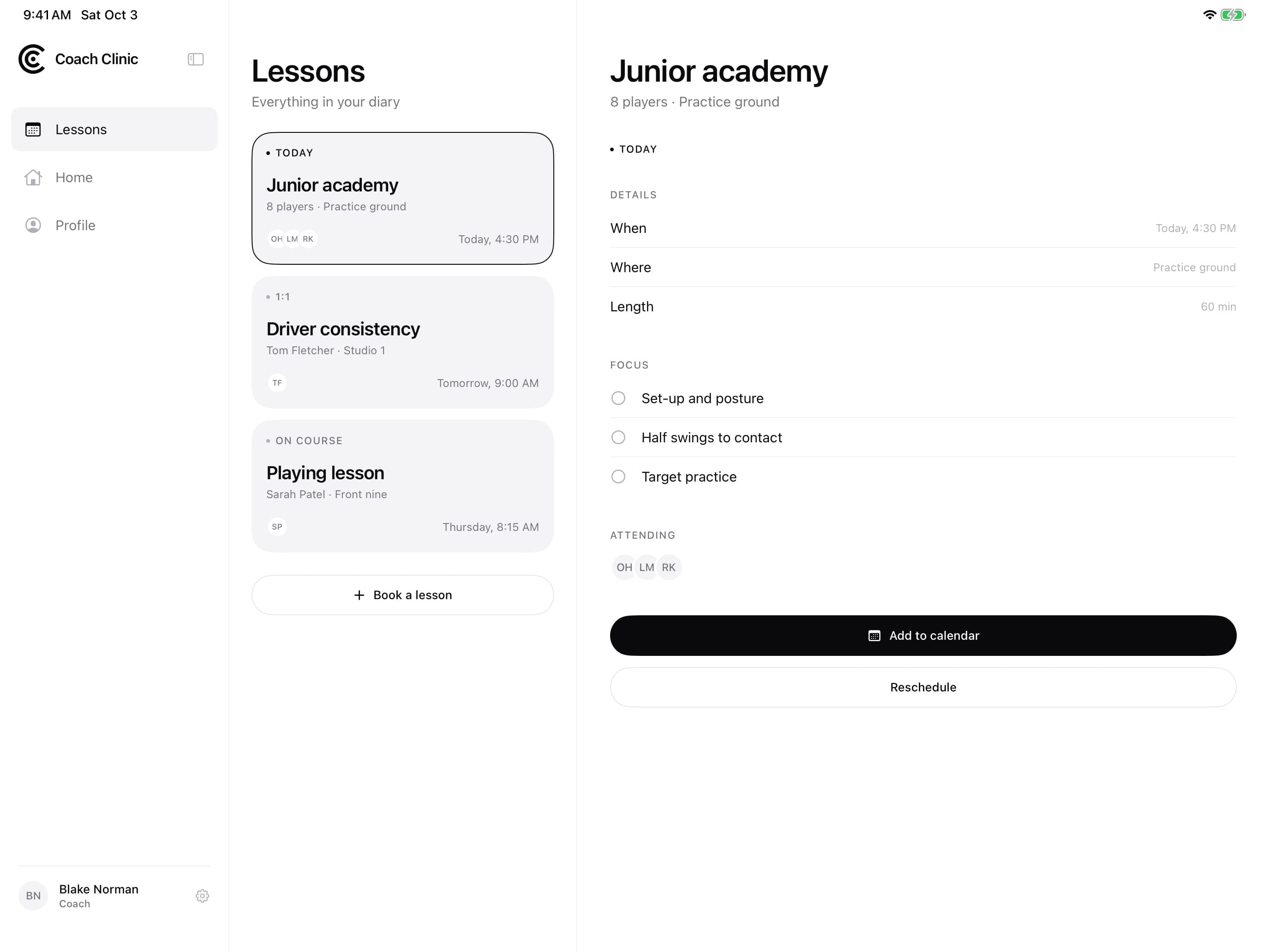
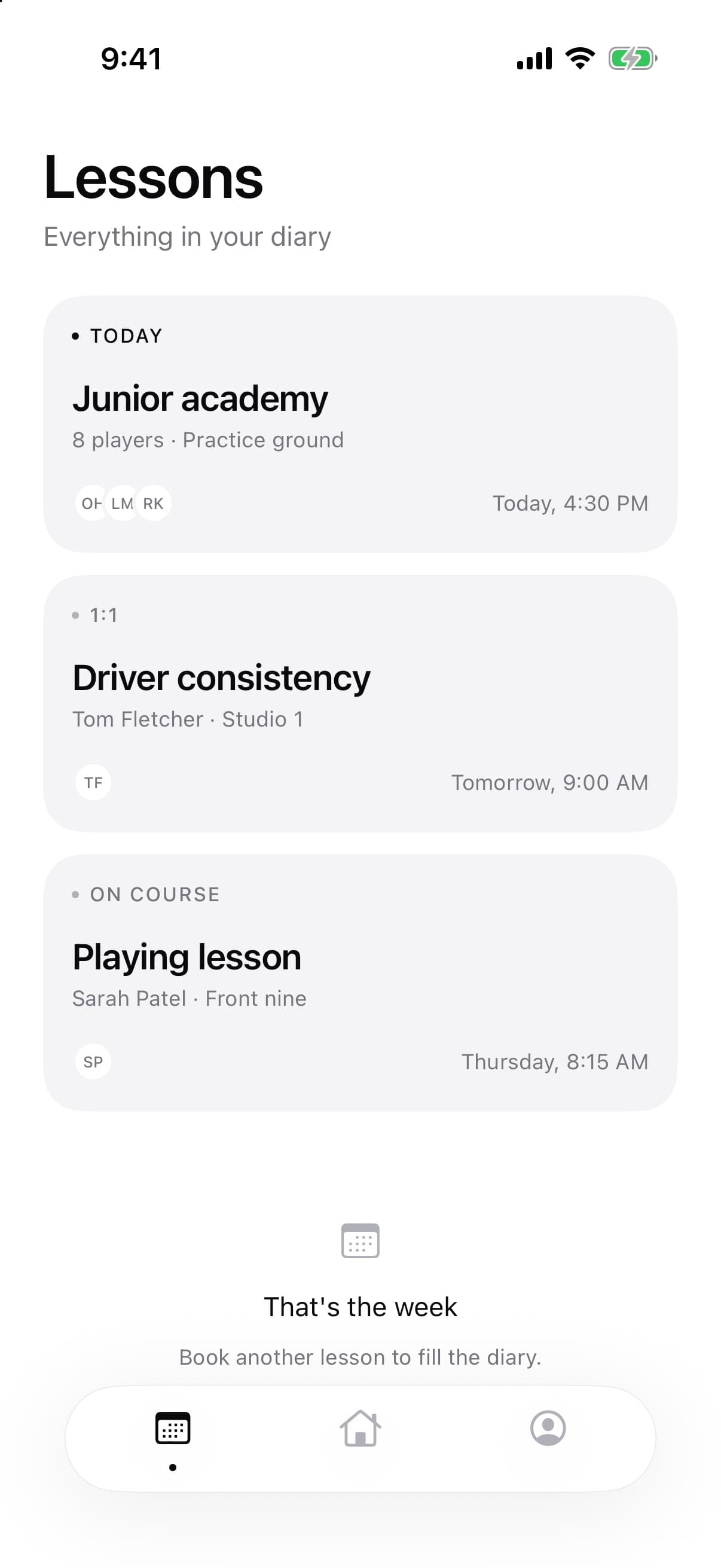
Today, tomorrow and the rest of the week at a glance — one-to-ones, group sessions and on-course lessons.
Progress you can see
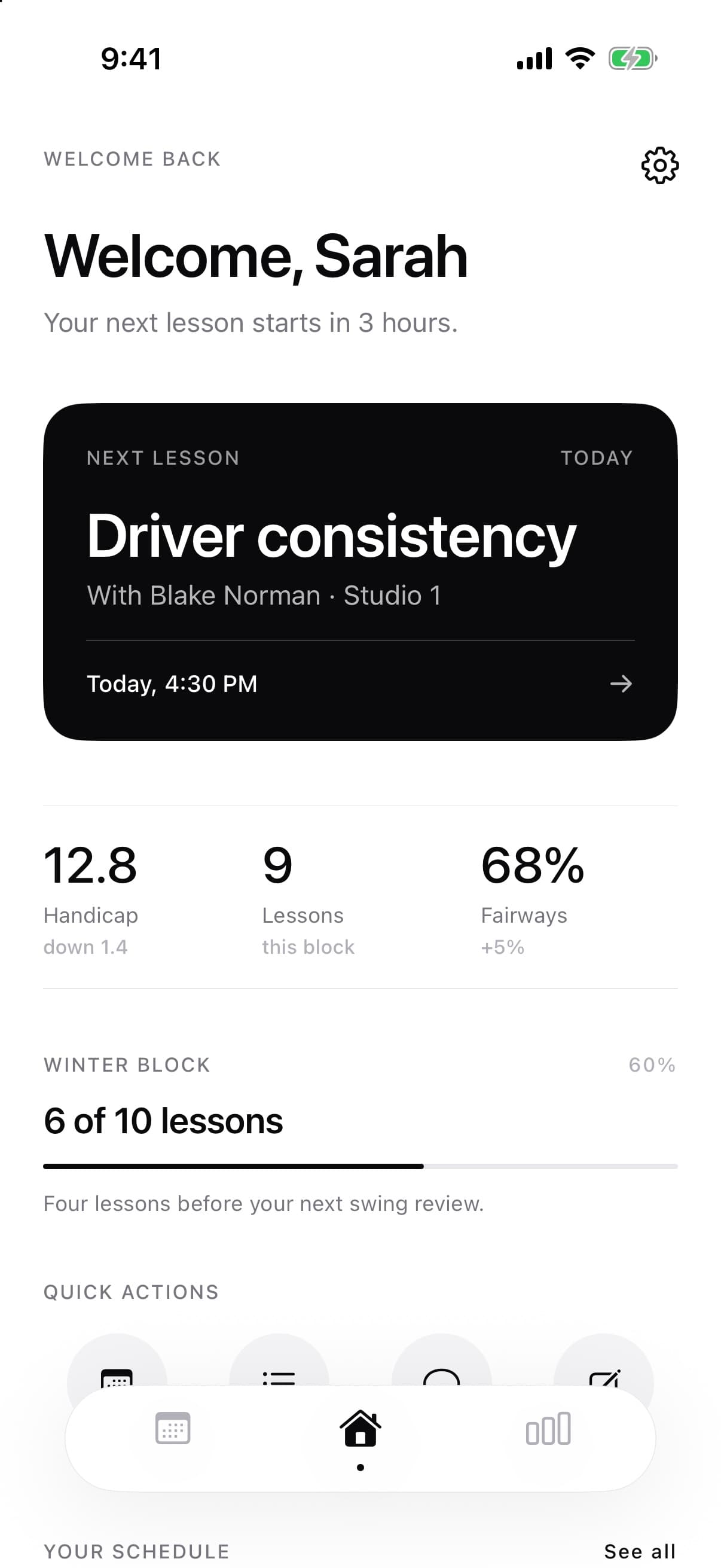
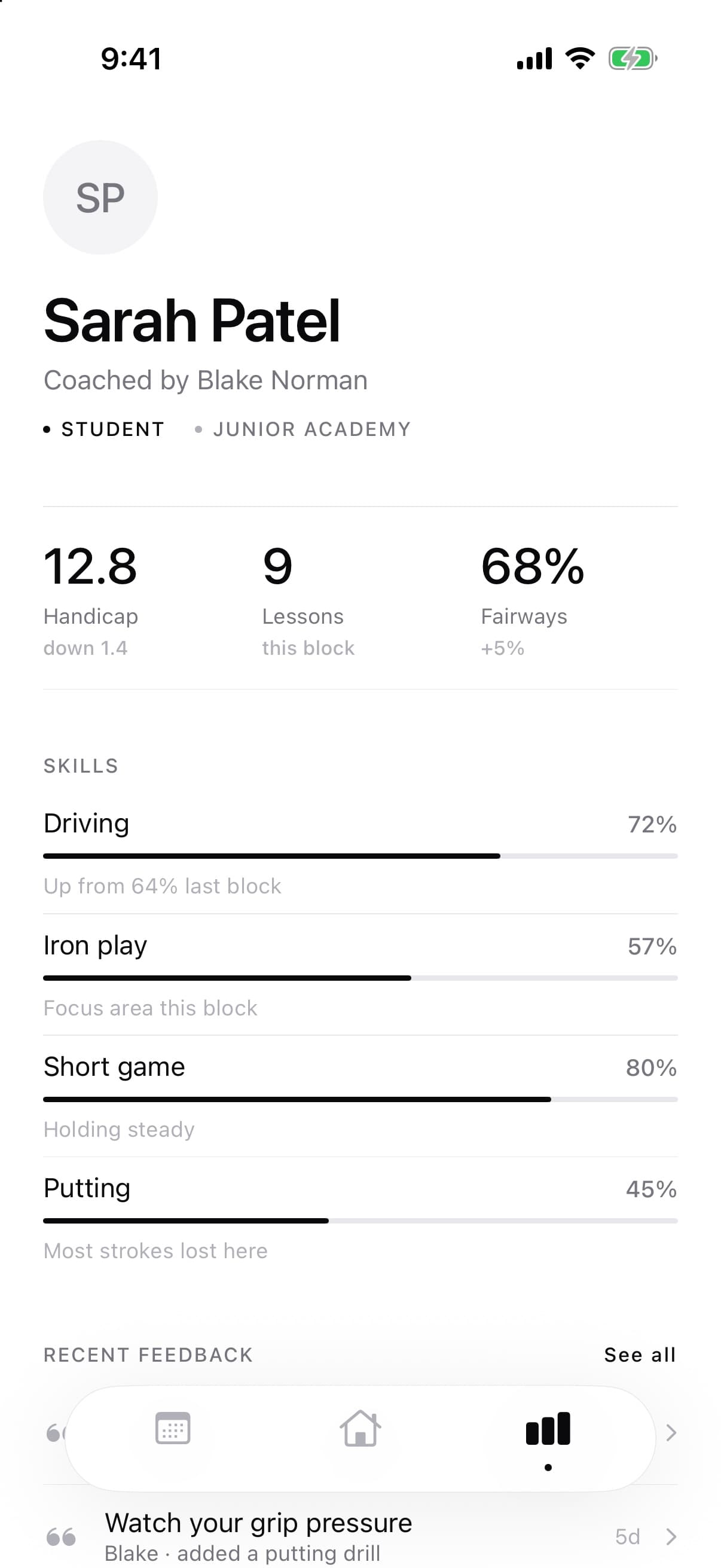
Handicap, fairways and skill scores for driving, irons, short game and putting, block after block.
Practice between lessons
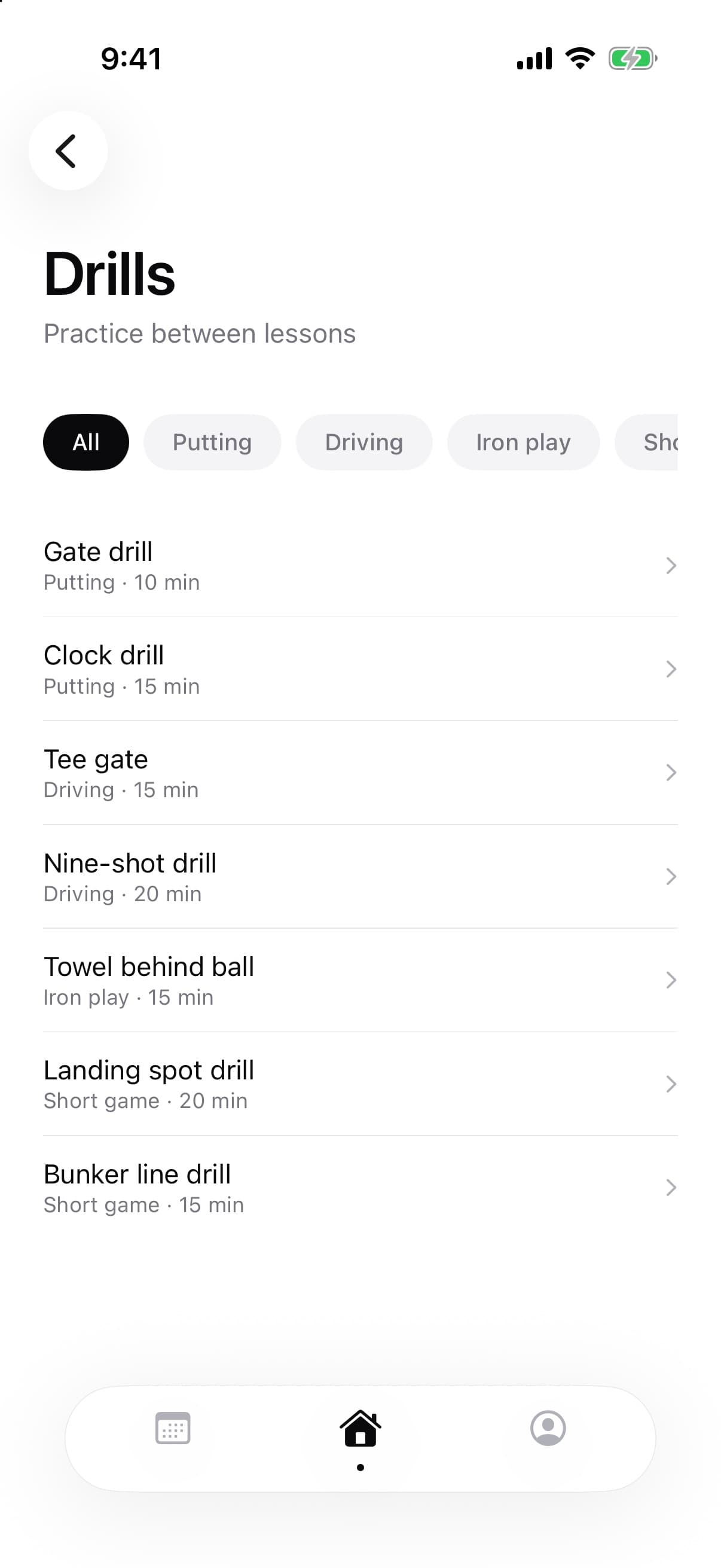
A drill library with timings and categories, so the work carries on once the lesson ends.
For coaches
Run the whole book from your pocket.
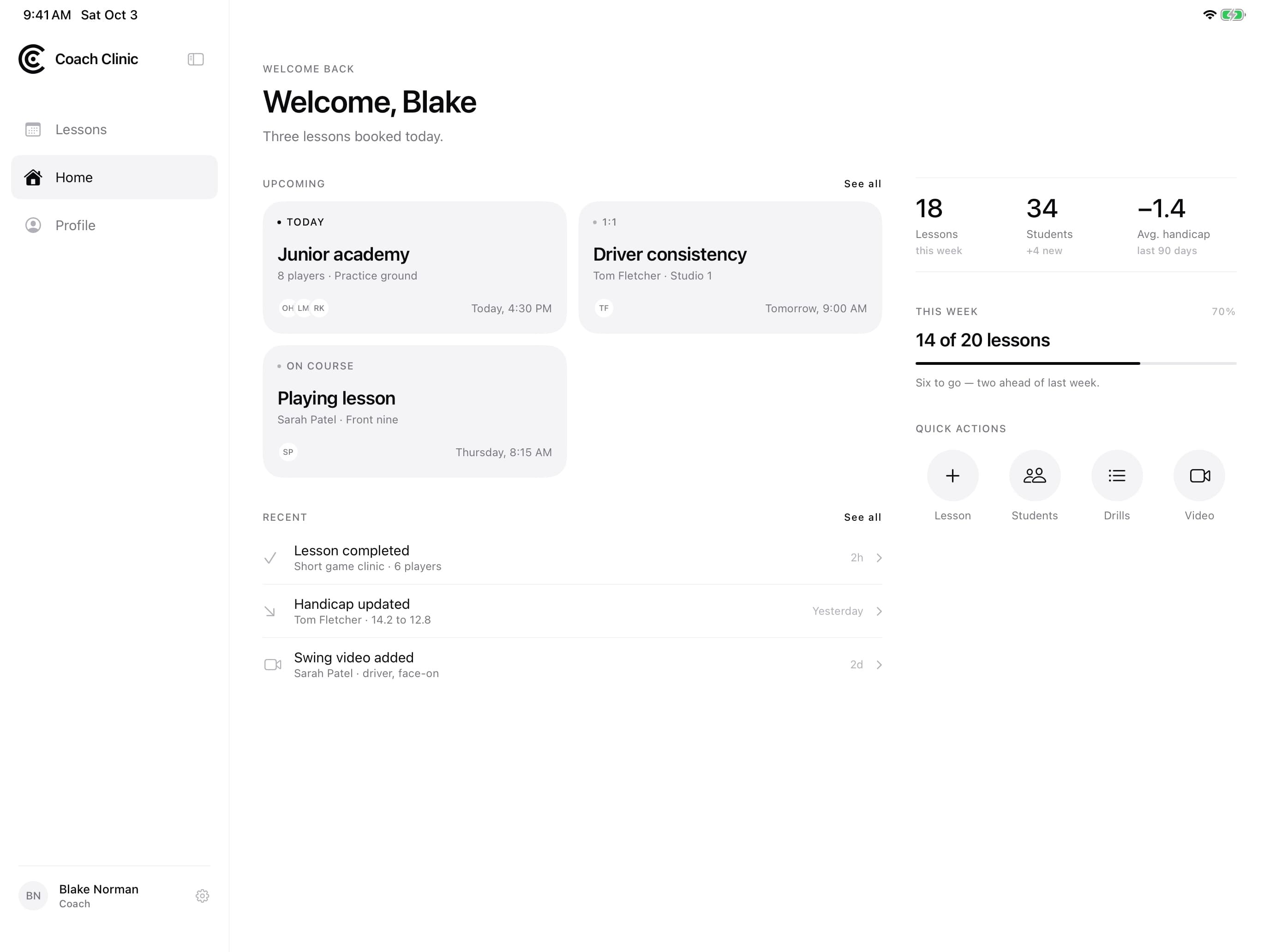
See what is booked, who is improving and who needs a nudge — then jump straight into a lesson plan, a student’s profile or a swing video.
Your whole diary
One-to-ones, group clinics and playing lessons, with who is attending and where.
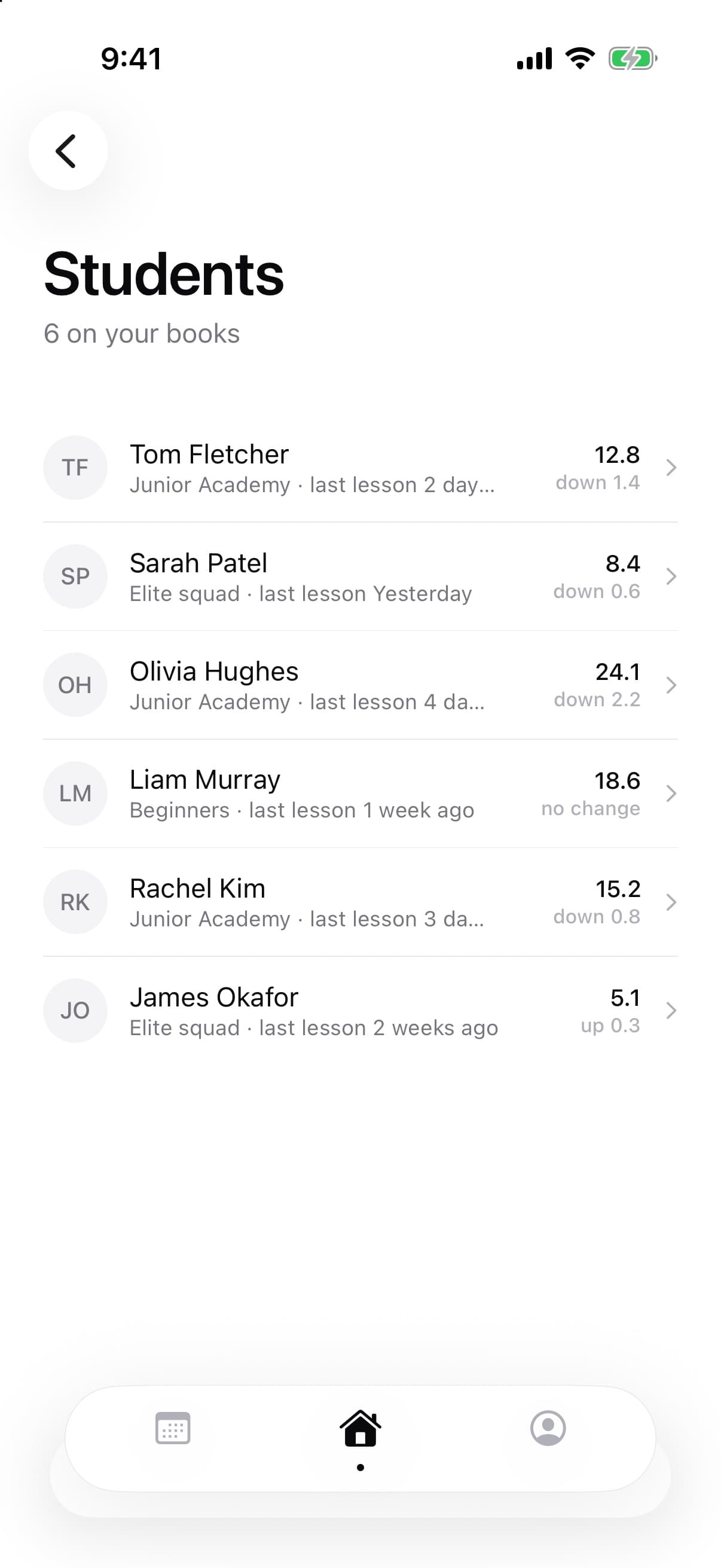
Every student, with context
Handicap, trend and time since their last lesson — before you walk onto the range.
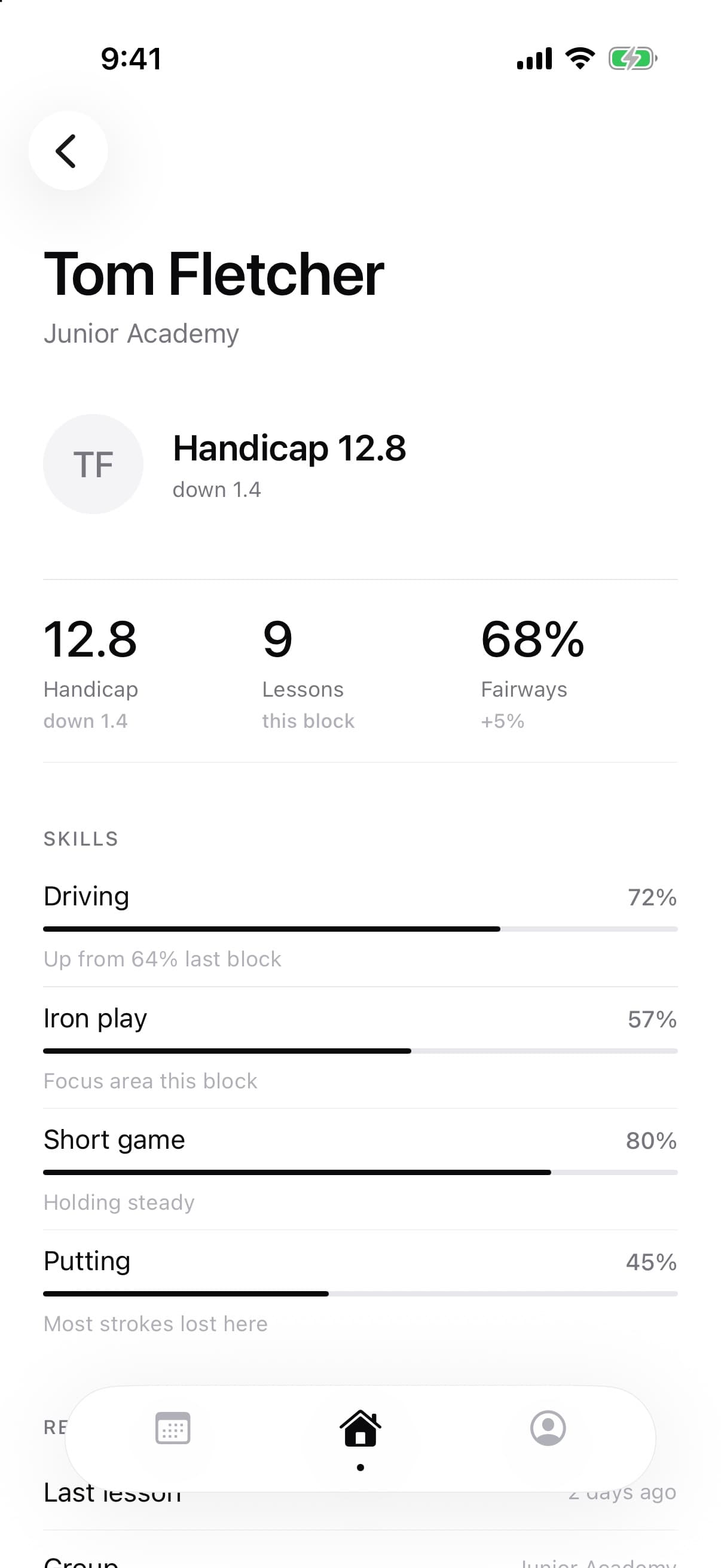
Skills that tell a story
Skill scores per block show what is improving and where the strokes are being lost.
For students
Know what you are working on, and why.
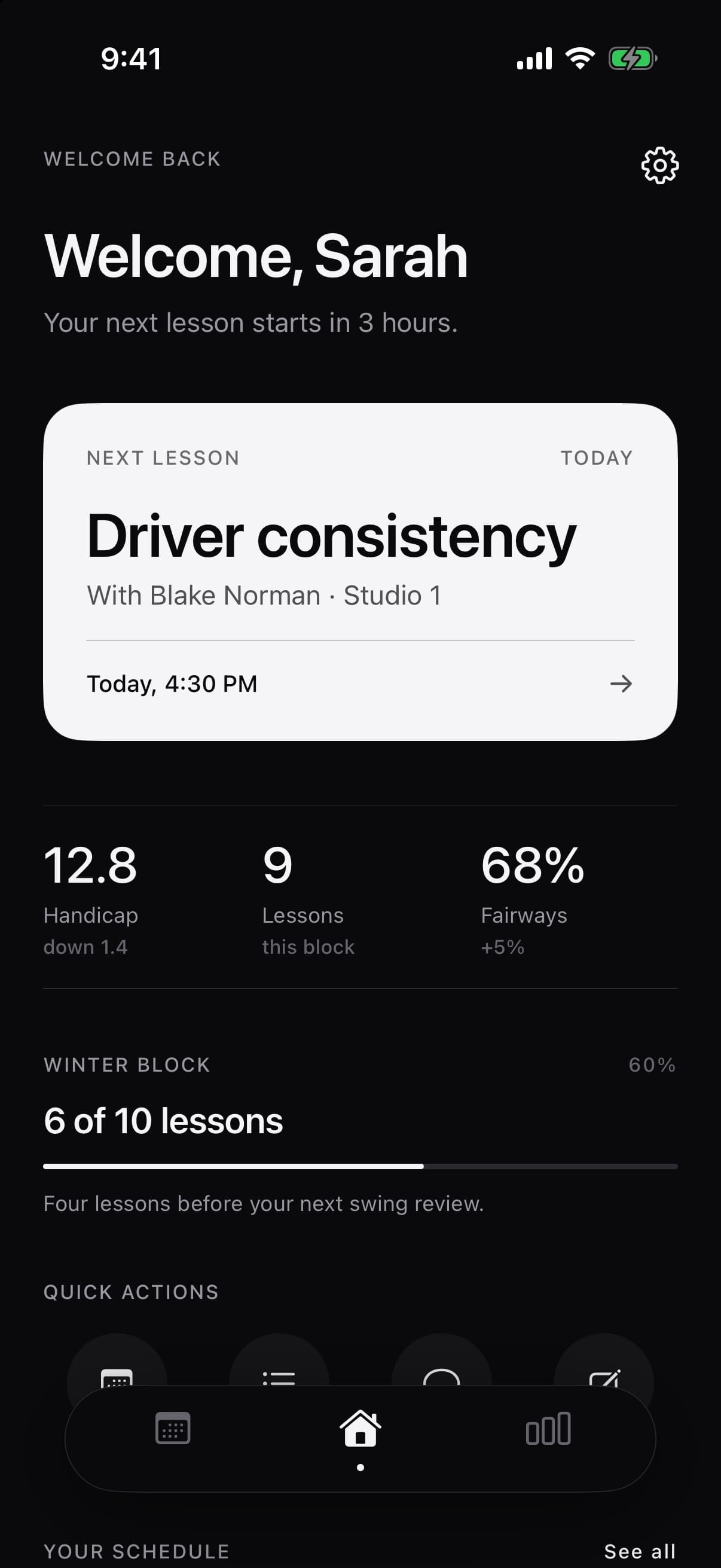
Your next lesson, your coach’s feedback and your practice plan all live in one place — so nothing from the lesson gets lost on the drive home.
- Next lessonWhen, where and what you will focus on.
- ProgressHandicap and skill scores, tracked block by block.
- DrillsPractice by category, with how long each one takes.
- FeedbackNotes from your coach, kept alongside your lessons.
Scheduling
Booking in a few taps.
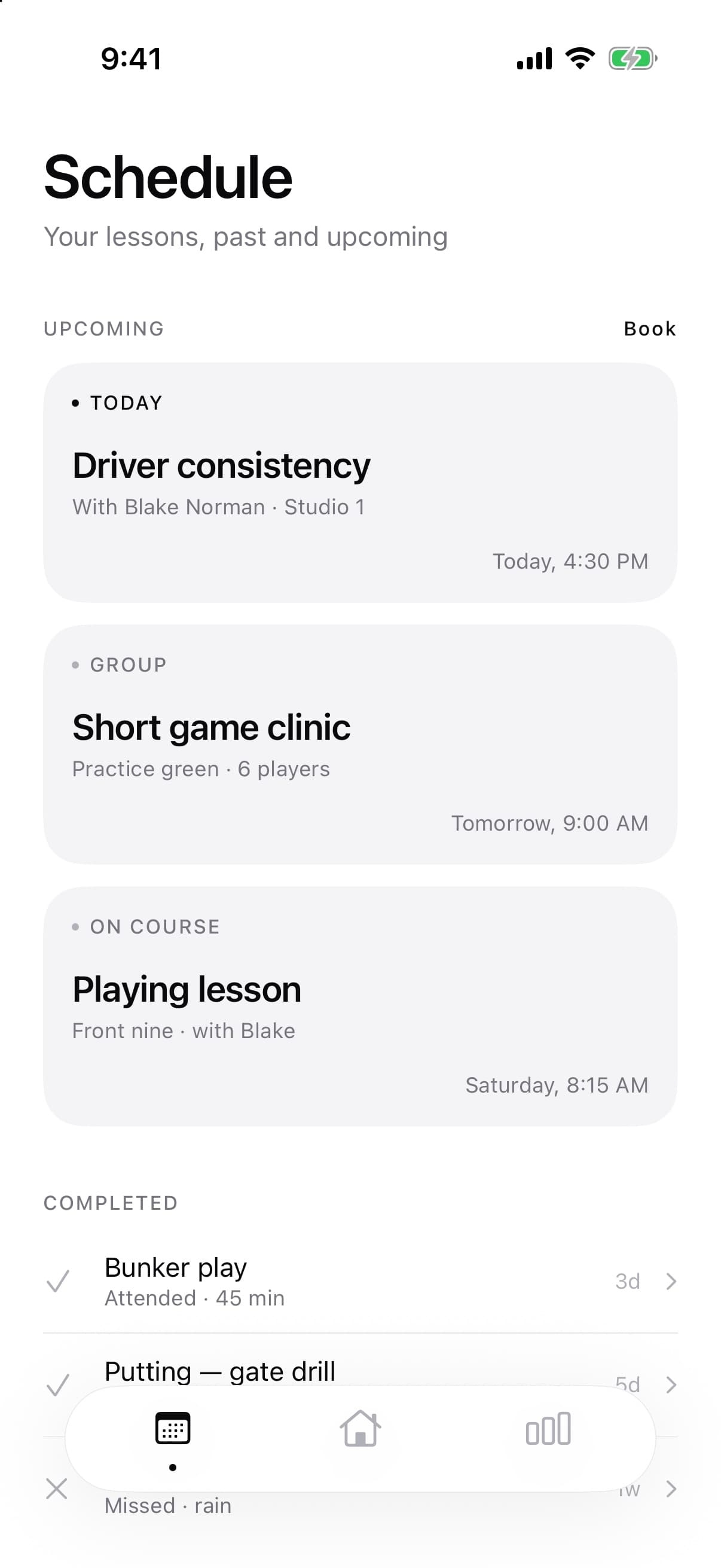
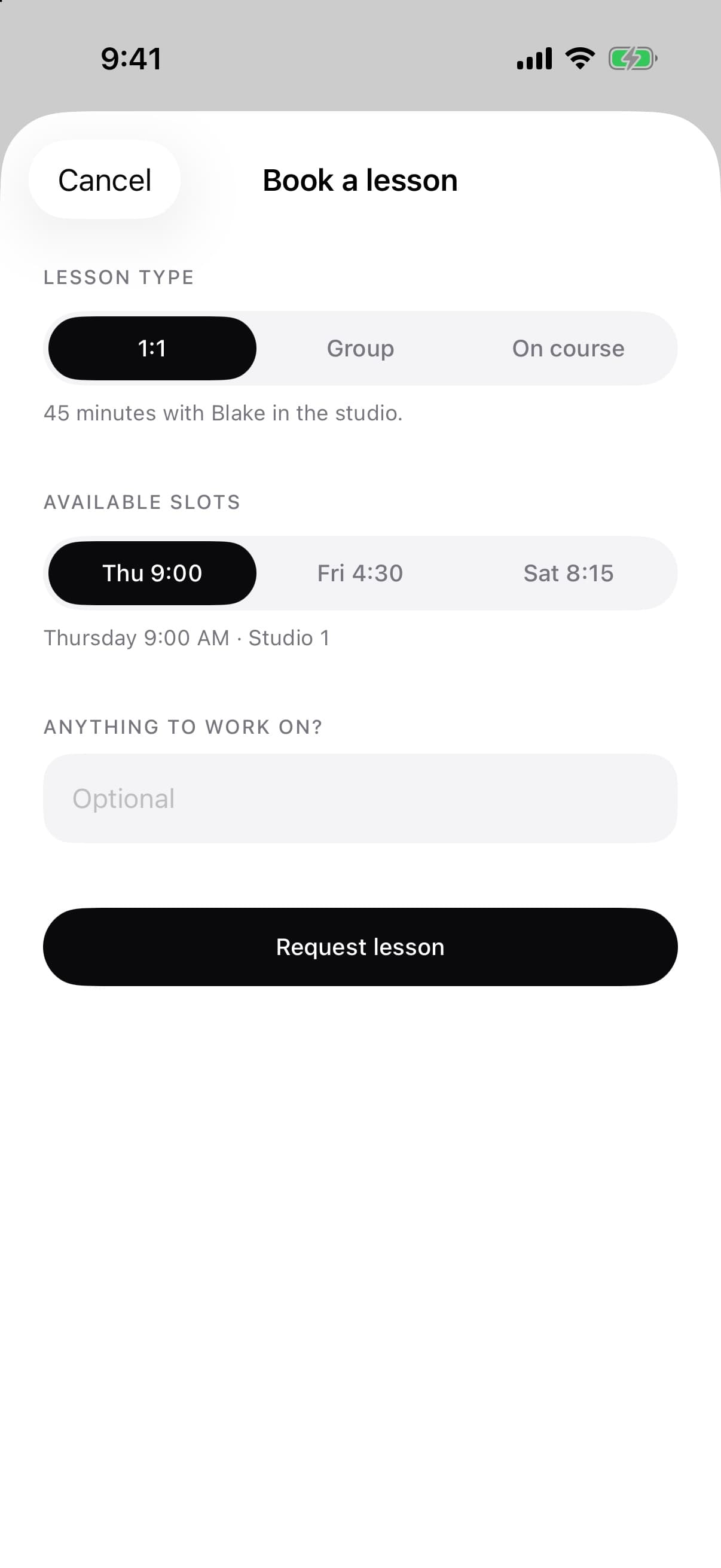
Students choose a lesson type, pick a slot from their coach’s availability and add a note about what they want to work on. Upcoming and completed lessons sit together in one schedule.
- One-to-one, group and on-course lessons
- Slots drawn from the coach's availability
- A clear history of attended and missed sessions
Appearance
Easy on the eyes, day or night.
The same quiet, monochrome design in light and dark, following your device setting.
The details
Small things, done properly.
- Reminders
- Lesson reminders and weekly summaries, delivered as notifications.
- Swing video
- Add face-on and down-the-line video to a student's record.
- Your units
- Choose how distances and measurements are shown.
- One app, two roles
- Sign in as a coach or a student and get the experience built for you.
- Student feedback
- Notes and drills from the coach, kept alongside the lesson.
- Private by design
- Students see their own game; coaches see their own books.
Bring your coaching into focus.
Coach Clinic is coming soon to iPhone and iPad.